Agents
Your agent, in your own browser
Claude Code, Codex, Cursor and the other agents you already run can use Cra itself: your tabs, your spaces and the sites you’re already logged into, instead of a blank browser of their own. Cra runs no AI of its own.
- Claude Code
- Claude Cowork
- Codex
- Cursor
- T3 Code
- Conductor
- VS Code
- Windsurf
- Gemini CLI
- LM Studio
Then Settings ▸ Advanced ▸ Agents
- Put every pull request waiting for my review in a Review folder.
- cra · tab_open (url: "https://github.com/pulls/review-requested")opened in the background · tabId 9F2C…
- cra · page_read (tabId: 9F2C…)4 pull requests, 38 links
- cra · tab_open (× 4, one per pull request)4 tabs in Today, in the background
- cra · folder_create (name: "Review", tabIds: [the 4 tabs])Review · 4 tabs · Studio
- Done: four pull requests are in a Review folder in your Studio space. The oldest has waited 3 days.
01
Set up in one click
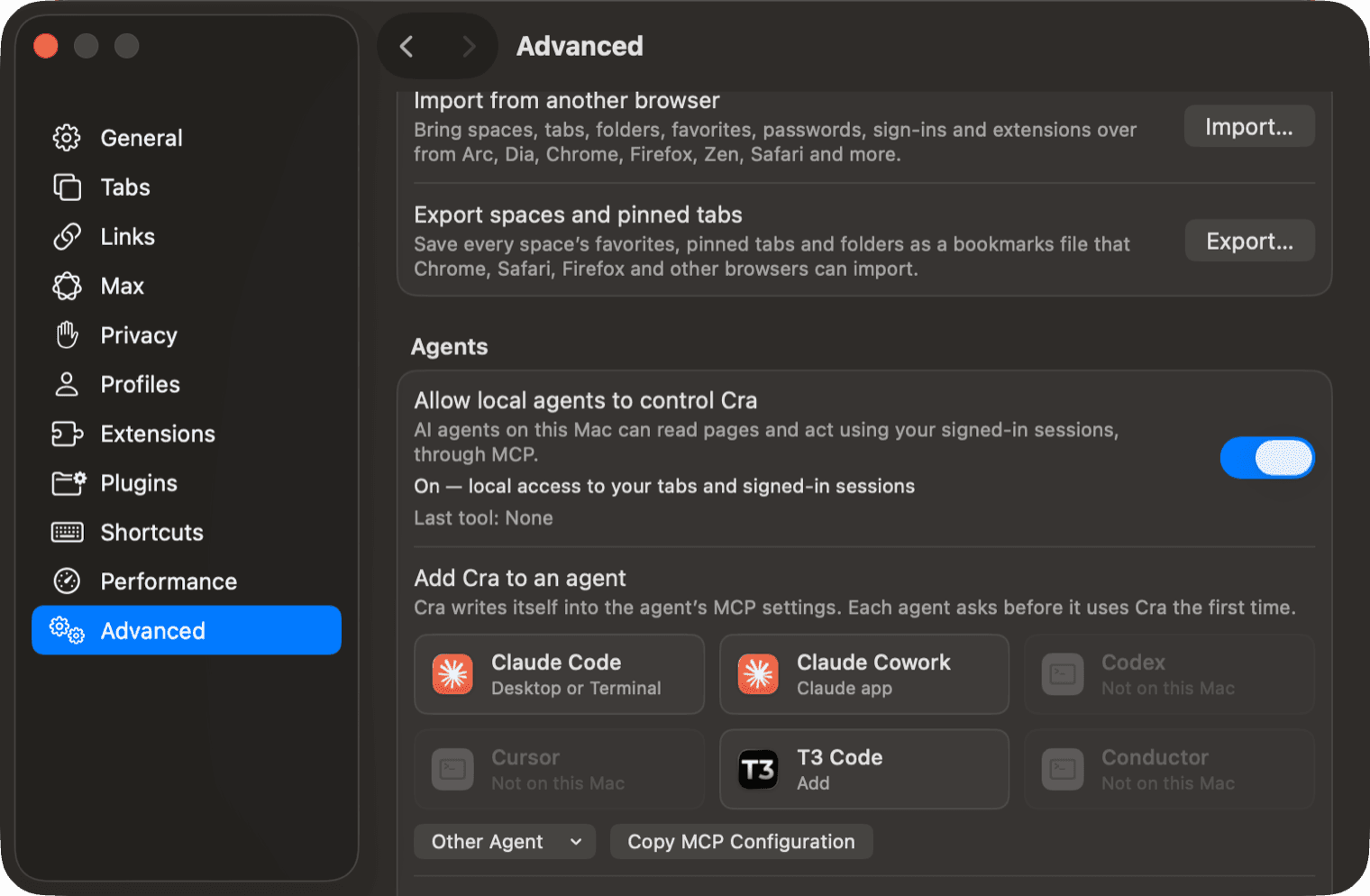
Turn on Allow local agents to control Cra, then click your agent. Cra writes itself into that agent’s own MCP settings, the way the agent’s own add command would.
- Tiles for Claude Code, Claude Cowork, Codex, Cursor, T3 Code and Conductor. VS Code, Windsurf, Gemini CLI and LM Studio are under Other Agent.
- Copy MCP Configuration covers any other agent that speaks MCP.
- Only Cra’s own entry changes. A tile says Added, or Update when the agent points at another copy of Cra; right-click it to remove Cra again.
claude mcp add cra -- "/Applications/Cra.app/Contents/MacOS/Cra" --mcp "$HOME/Library/Application Support/Cra/mcp.sock"
02
Your tabs, as they are
The agent works in the browser you use: your spaces, your pinned tabs and the sites you’re already logged into. No fresh profile, no copying cookies, no second browser to keep in step.
- It sees your tabs in sidebar order, with their space, section and folder.
- A tab it opens arrives like a ⌘-clicked link: in Today, loading in the background, without taking your screen.
- It can tidy as you would: move a tab to another space or into a folder, make a folder, rename, mute or put a tab to sleep.
 Sidebar: keep the pinned split on dropFix Peek origin on shadow rootsSettings: ⌘W closes SettingsDocs: MCP agent tiles
 Hacker NewsPull requests · GitHub
03
Tools made for agents
Thirty-three tools, each checked before anything happens. A refused call says why, so the agent can fix it and try again.
- Clicks and typing go through Chromium’s own input, so pages see trusted events, not scripted ones.
- Every click or keystroke reports what changed: the new URL, the controls that appeared, the forms it sent.
- Refs from a snapshot never jump to another element. If the page replaced it, the tool says so.
- tabs_listYour tabs in sidebar order
- tab_openA page in the background
- page_snapshotThe page’s elements, with refs
- page_readVisible text and links
- page_screenshotAny tab, hidden ones too
- page_clickBy ref, selector or x/y
- page_typeInto fields and rich editors
- page_selectSelects and typeahead lists
- page_batchUp to 50 calls in one go
- page_networkRequests, tokens hidden
- page_consoleErrors and warnings
- site_notesNotes it keeps per site
- tab_moveSpaces, folders, sections
- folder_createA folder in Pinned
- page_pdfPrint to a private PDF
- page_downloadDownloads, signed in
04
It asks before it connects
The first time an agent connects, Cra asks you, with the app it runs in. Until you answer, its calls wait. Cra remembers the answer for that agent.
- Settings ▸ Advanced lists every agent you answered. Forget asks again next time and closes its connections.
- Cra doesn’t hold back a purchase or a message: set confirmations in the agent itself.
- Treat what a page says as untrusted. A page can carry instructions meant for your agent.
Let “Claude Code” use Cra?
While it runs, it can open tabs, read your pages and act in them, signed in as you. It’s asking from Terminal. You can take this back in Settings ▸ Advanced.
05
It works beside you
An agent works in hidden tabs, behind covered or minimised windows, with Cra in the background. You keep browsing.
- While it acts in a page, a toast in that window says which agent is using Cra.
- Stop on the toast disconnects every agent and turns MCP off until you turn it on again.
- Reading pages and organizing tabs don’t show the toast; clicking and typing do.
Pull requests · GitHubOff until
you turn it on
Agents reach Cra only from your Mac, through a private socket in your profile folder. No network port is opened.
Private tabs and Little Windows are never listed or reachable. Chrome’s settings and password pages, extension pages, DevTools and local files are refused.
Snapshots and page text leave out what you typed into fields, and password fields are masked in screenshots.
One switch, then ask for anything on the web
Available for Apple silicon and Intel Macs on macOS 14 and later