Cra 0.1.1427 October 2026
The Library moves into the sidebar
The Library opens in the sidebar like Arc’s, web pages run in Chromium’s sandbox, passkeys work with Touch ID, and there are new settings for HTTPS-only browsing and sleeping tabs. GitHub live folders arrive, and extension popups no longer get stuck open.
The Library opens in the sidebar
The Library button, ⇧⌘L and View Archive now turn the sidebar into the Library instead of opening a separate window, so it can’t get lost behind the browser. Pick Downloads or Archived Tabs on the left, and leave with the back arrow or Esc. ⇧⌘J opens Downloads directly.
Always use secure connections
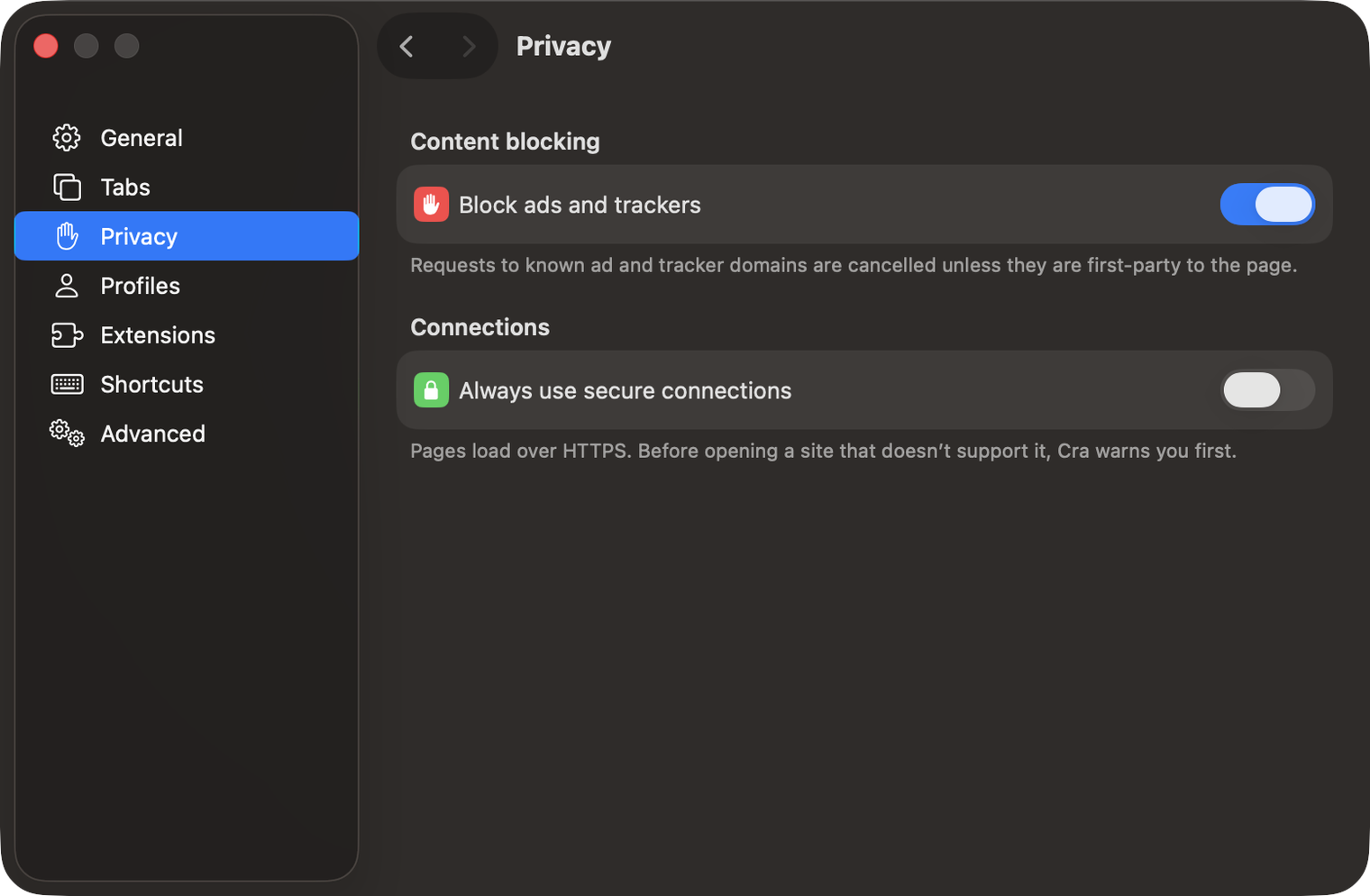
Turn this on in Settings ▸ Privacy and Cra loads every site over HTTPS. When a site doesn’t support it, Cra asks before opening the insecure page.
Sleeping tabs
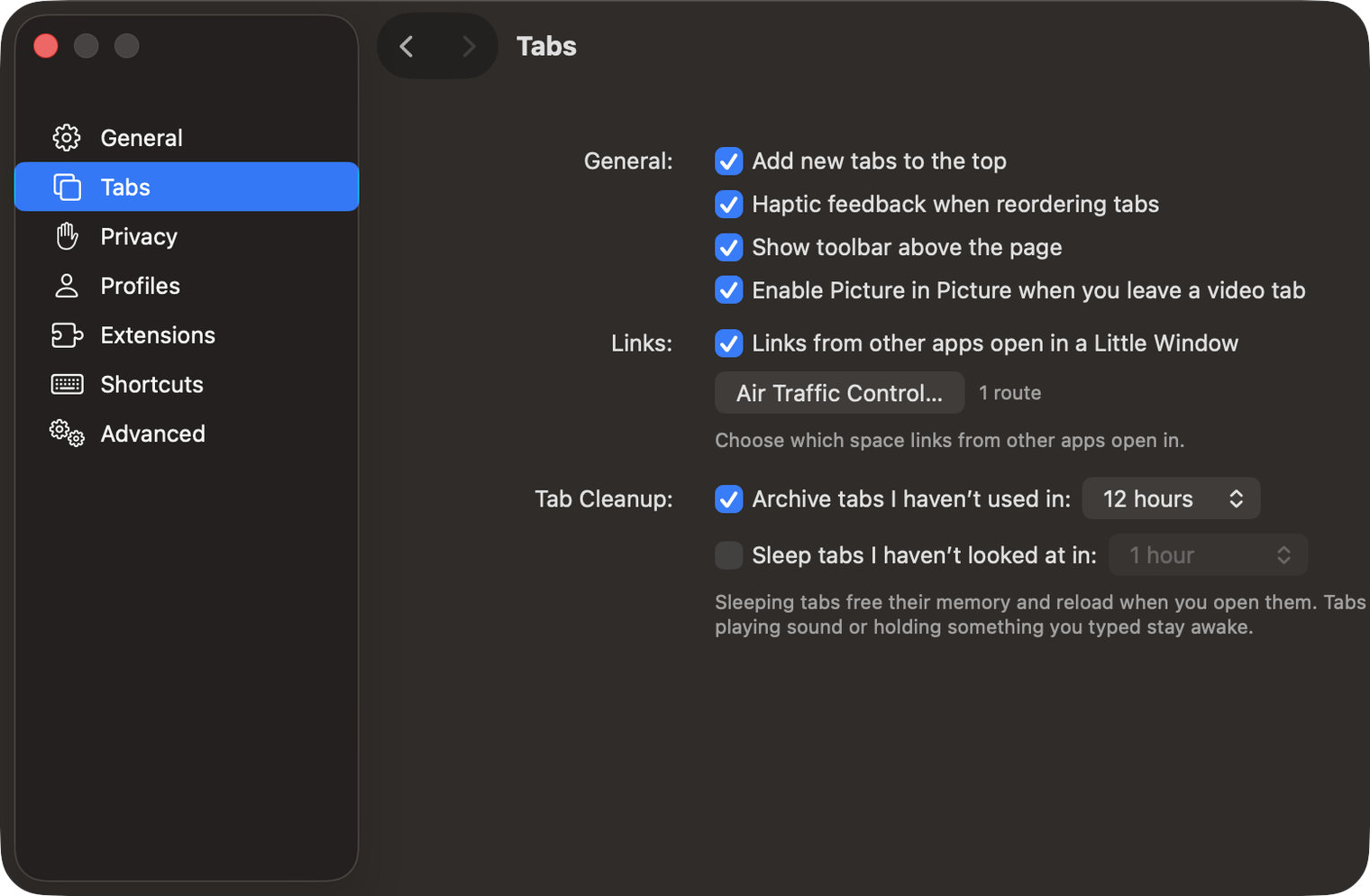
Settings ▸ Tabs can now put tabs to sleep when you haven’t looked at them for 15 minutes to 12 hours. A sleeping tab frees its memory and reloads when you open it. Tabs playing sound, recording, in Picture in Picture or holding something you typed stay awake. It’s off until you turn it on.
GitHub live folders
Right-click the sidebar or the space’s name and choose New GitHub Live Folder. The folder fills itself with your open pull requests and review requests, using the GitHub account you’re signed in to in that space, and keeps them up to date.
What else is new
Web pages run in a sandbox
Cra now runs pages, video, network and storage in Chromium’s macOS sandbox, as Chrome does. If a page finds a way to break the engine, it is still walled off from your files and the rest of your Mac.
Passkeys with Touch ID
Sites that offer passkeys can now save one in Cra, and you sign in with Touch ID instead of a password. Passkeys on your phone (scan the QR code) and hardware security keys work too. Using passkeys from iCloud Keychain is waiting on Apple’s approval.
Extension popups close when you click away
An extension’s popup, such as a password manager’s, could stay open after you clicked elsewhere. It now closes when you click another part of Cra or switch apps.
For every change in 0.1.14, see the changelog.
Past releases

27 October 20260.1.13
Drag your spaces into order

27 October 20260.1.12
Downloads that outlive their tab

27 October 20260.1.11
Your passwords, locked in your Keychain

26 October 20260.1.10
Air Traffic Control

26 October 20260.1.9
Favorites per space
- 0.1.8
26 October 20260.1.8
Video everywhere
- 0.1.7
26 October 20260.1.7
Work sign-ins

26 October 20260.1.6
Drag and drop that works

26 October 20260.1.5
Sign in with Google

26 October 20260.1.4
Copy, paste and clean corners

26 October 20260.1.3
Extensions that reach their apps
- 0.1.2
26 October 20260.1.2
Notarized, and it updates itself
- 0.1.1
25 October 20260.1.1
Quit fix

25 October 20260.1.0
Early access